The Last of Us has great characters and story, but not everyone is good enough at video games to get through its stealth combat gameplay. Thanks to YouTube user Grant Voegtle, now anyone can enjoy the game’s story, even if they don’t like playing video games.
Voegtle has been working over the last month to create an episodic, cinematic playthrough of The Last of Us, cutting captured gameplay footage to focus on the important story beats, and the result is something akin to a television show.
“I was hearing that people wanted to share the story of The Last of Us with their family, but they just didn’t have the time to have them sit down and play the entire game,” Voegtle told The Verge in an interview. “Hearing that and knowing that I could do that for people—that’s been the most motivating thing so far to keep me working on it.”
You can watch trailer for the cinematic playthrough above, and catch up with the entire series of videos on Voegtle’s YouTube channel.
In other The Last of Us news, Sony and Naughty Dog on Friday announced that the single-player expansion for The Last of Us, called Left Behind, will be released as a standalone download on PlayStation 3 and PlayStation 4 this month.
We’re in the eighth generation of home video game consoles, and of the three most popular options, two are not backward compatible. Nintendo’s Wii U offers access to its back catalog of Wii games through a separate console mode and to games from the company’s early days through the Virtual Console. But for the PlayStation 4 and Xbox One, owners have to count on remastered editions of their favorite older games or services like PlayStation Now if they want access to them on the newer machines.
It hasn’t always been this way, though. Previous console generations had the guts (literally) to run games from older hardware, but over time the cost of adding the extra technology to newer machines proved to be too high. Are we justified in feeling cheated out of consoles with backward compatibility? Or is it all just part of the industry’s evolution towards better, brighter experiences?
The history of backward compatibility
When we say something is backward compatible, it means that the object in question can work with input generated by an older product or piece of technology. If the new, most recent technology can receive, read, view or play input–like media–in older formats, then the product is backward compatible. In the case of consoles, when we talk about backward compatibility, we’re asking if the console can play games create for previous hardware in that console’s family. For example, early PlayStation 3 models could play PlayStation 2 and PlayStation 1 games, while the first run of the Nintendo Wii was compatible with GameCube games, memory cards, and even controllers.
The early years of video game consoles saw backward compatibility as a more common feature. But for some companies, it was harder than others.
Atari: The Atari 7800, released in 1986, was backward compatible with the Atari 2600 but not the console that directly preceded it, the 5200. This was because the 7800 included many of the same chips built into the original 2600. Users could put the 7800 into a “2600” mode that slowed down the console’s processor from 1.79 MHz to 1.19 MHz, which mirrored the 2600’s processor. In this mode, game data was accessed in 4K blocks rather than the 7800’s standard 48K blocks, allowing the newer Atari to read and play the older machine’s games.
Atari never released another true console with backward compatibility, but in 1987, the company launched the Atari XEGS, which could play the entire library of software developed for Atari’s 8-bit home computers. Additionally, the company developed but never released the Atari Jaguar II; the canceled project would have allowed users to play catridges for the original Atari Jaguar and Jaguar CD.
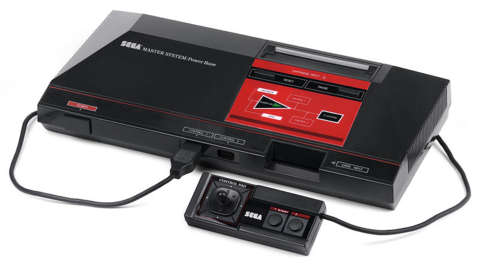
The Sega Master System.
Sega: In 1983, Sega released the cartridge-based Sega Game 1000 in Japan; it would never be released outside of the territory. The company’s next machine, 1986’s Sega Master System, was built to be compatible with the SG-1000’s game cartridges. Following the Master System, Sega opted not to put the previous console’s chips in its next machine, the 1989 Sega Genesis, but instead made backward compatibility possible through a peripheral. Although the Genesis contained an 8-bit processor, this accessory, the Power Base Converter, had to be hooked up to the Genesis in order to play Master System games.
Sony: The PlayStation 2, which launched in 2000, allowed users to play PSOne discs, although PSOne memory cards were also required to access and store save data. PSOne controllers were also compatible with the hardware, although certain functions like the analog buttons were not available to use when playing PS2 games. Early PlayStation 3 models were backward compatible with both PSOne and PS2 games, and save files from PSOne and PS2 memory cards could be transferred to the PS3‘s hard drive using a memory card adapter. When Sony debuted the PS3 Slim model in fall 2009, the company removed backward compatibility chips in order to make it a thinner piece of hardware. No PS3 models following the launch of the Slim have had backward capability.
Microsoft: The Xbox 360, 2005’s successor to the original Xbox, allowed for some backward compatibility but required several more complicated hoops to jump through. Unlike the PlayStation 2 and 3, players couldn’t put previous generation discs into the system and expect them to run. Playing Xbox titles on Xbox 360 required system software updates from Microsoft and emulation profiles. These emulation profiles were created for each individual game–there was no blanket solution for all Xbox titles–and could be downloaded straight to the console via Xbox Live or through Xbox.com and burned to a CD or DVD. Only Xbox 360s with the official Xbox 360 hard drive could run the emulation profiles.
In November 2007, Microsoft stopped creating emulation profiles for Xbox games. To date, there are 461 Xbox titles that are compatible with the Xbox 360. Any game without an official emulation will not work.
The Nintendo Wii with a GameCube game and controller.
Nintendo: While Nintendo’s early consoles ran on their own media–with sizes and shapes of cartridges and discs varying between generations–it all came together with the Wii in 2006. Wii models made pre-2011 were fully backward compatible with Nintendo GameCube game discs, memory cards, and controllers. This was because the Wii hardware had ports for both GameCube memory cards, and peripherals and its slot-loading drive was able to accept and read the previous console’s discs. When playing a GameCube game, however, only GameCube functions were available, and only compatible memory cards and controllers could be used because the Wii’s internal memory would not save GameCube data. Online and LAN features of certain GameCube games were not available, however, due to the Wii not having serial ports for the GameCube’s Broadband and Modem Adapters.
The redesigned Wii Family Edition and Wii Mini, launched in 2011 and 2013 respectively, had this compatibility stripped out.
What’s the current situation?
Right now, Nintendo’s Wii U is the only console on the market with true backward compatibility. Wii software can be transferred to the Wii U and and accessed through Wii Mode by clicking on the “Wii Menu” home screen icon with a Wii remote. Speaking of which, Wii remotes and peripherals also work with the Wii U. In Wii Mode, games can be displayed on the GamePad screen, but Wii Remotes are still required to play them.
Additionally, Nintendo’s handheld lines also hold up in terms of backward compatibility. The Game Boy line read software from most previous incarnations of the handheld, with the exception of the Game Boy Micro. The company’s most current handheld, the Nintendo 3DS, can also play games from the Nintendo DS.
Neither of Sony’s current gaming hardware, the PS4 or PlayStation Vita, are backward compatible. The PS Vita cannot play the UMD discs of its predecessor, the PlayStation Portable, because there is no UMD reader; instead, the Vita utilizes small flash memory cards the size of SD memory cards. Compatible PSP games can, however, be downloaded from the PlayStation Network on PS Vita.
The main reason PlayStation 4 and Xbox One can’t play older games games is because both consoles use an entirely different kind of chip with a different instruction set. While older PlayStations and the Xbox 360 used PowerPC chips, the PS4 and Xbox One completely changed the guts of the system by using an x86-64 architecture, which is closer to Intel and AMD CPUs.
For PS4, Sony’s PlayStation Now service, currently in open beta, does allow users to stream PS3 games, but requires a subscription fee.
Speaking with GameSpot during the PS4’s launch in November 2013, PS4 architect Mark Cerny said that, while the plan for PS3 was to put PS2 hardware in every console, the move was impossible with PS4.
“Software emulation is very hard to do unless you have 10 times the frequency of the previous console,” Cerny said. “Software emulation is not about the overall performance that can be achieved by having a great number of processing units. It’s about being able to do things quickly. You’re trying to emulate your previous hardware, and that takes you a certain number of operations to emulate whatever it was doing. So, PlayStation 1 is emulatable on PlayStation 2 because there was an increase in the frequency of the CPU and GPU to something like a factor of 10. And the same thing is true between the PlayStation 2 and PlayStation 3. The PlayStation 2 is something like 300 Mhz; PlayStation 3 about 3.2 Ghz — about 10 times as much. But even so, it’s very, very hard to do.
A top-down view of the PS2’s motherboard.
“The world we’re in now, though, frequency has stopped increasing,” he added. “For example, if you look at your PC, the frequency of the CPU hasn’t changed much in the last ten years. And that makes emulation just really hard to do.”
Microsoft’s Xbox One is also not compatible with its predecessor’s media. Nor can you use the Xbox 360’s Kinect with the Xbox One; you must purchase the updated version of the peripheral. There is no PlayStation Now equivalent for Xbox One.
How do you make something backward compatible?
The more advanced the technology used for consoles becomes, the more difficult–and more expensive–it is to add the hardware or software necessary for backward compatibility. Consoles with more features will likely be pricier, and a current generation console with a the previous generation’s chipset would be wildly expensive; think of a PS4 or Xbox One with another $200 tacked on to account for the additional parts. This is one reason why Sony and Microsoft have shied away from including backward compatibility in their current consoles.
But just what does it take to make something backward compatible? There are two ways to go about implementing the feature: hardware implementation and software emulation. Either you have the exact hardware needed to run previous generation games, or you’re using the full power of the new hardware to emulate the previous generation’s software.
The best way to add backward compatibility to a console is to include the important pieces of the previous generation machine’s guts, like the CPU, GPU, and sound chips. For example, the Wii was able to play GameCube games because it was essentially a more powerful version of the GameCube. The PlayStation 2 also had the original PSOne chipset built in.
The other way, emulation, is a little trickier, and there are two different ways to make things work.
The motherboard of the original Xbox.
Dynamic recompilation ensures the most compatibility. This process takes code that has been written for one chip and, as the code goes through the CPU, translates it into code that the native hardware can interpret. This method may give hardware the best way to emulate software, but you need really strong hardware in order for dynamic recompiling to reproduce a 1:1 experience performance-wise.
Another way to emulate software is to add another layer of software that is written to mimic the hardware a code has been written for. This is the most common form of emulation because it doesn’t drastically affect a game’s performance. A good example of this is Microsoft’s approach to emulating Xbox games for the Xbox 360; individual emulation software was written for each compatible game. That’s the slight drawback: one emulation software can’t be created for multiple titles, so the code has to be created separately for each game needing compatibility. The downloadable PSOne games Sony has released for PS3 and Vita come with emulation code tailored to that specific game, which is why we haven’t seen every PSOne Classic released at once for any of the newer consoles. This is also how Nintendo is handling game releases for the Wii U Virtual Console.
For the Xbox 360, some games had additional compatibility updates to fix problems, but not all of them received these patches. Many Xbox games still have problems running on the 360, compatible or not.
The PS2 had a more powerful graphics system than its predecessor that could do parallel processing. When running a PSOne game on PS2, the timing between the hardware’s parallel processing and the running software had to be exactly right, or the game would break. Later, slimmer PS2s used software emulation for PSOne games, and as a result only supported certain titles.
What do Microsoft and Sony have to say now?
Last fall, Sony’s vice president of Sony Network Entertainment Eric Lempel stated in an interview with Game Informer that PlayStation Now could see the addition of PS4, PS2 and PSOne games in the future.
“In our plans going forward we’re looking at everything so there’s the real possibility that you’ll see PlayStation 1, PlayStation 2, and PlayStation 4 titles available,” he said. “Right now it’s just PlayStation 3, but these are all options for the future.”
Around the same time, head of Xbox Phil Spencer said Microsoft have heard fans’ cries for backward compatibility, and that something was in the works for Xbox One.
“Back compat is always a hot topic at the turn of a generation, and I get why.” – Phil Spencer
“Back compat is always a hot topic at the turn of a generation, and I get why, especially on [Xbox 360] so many people bought so much digital content and it means that a lot of us, we’re holding on to our 360s,” Spencer said. “I get the question. I totally respect the question. There’s nothing I can say about it right now, but I’ll just say ‘I hear you.’ I definitely hear you and I’ll continue to try to work to build something that can help people out.”
GameSpot reached out to Sony and Microsoft for comment on their plans to bring backward compatibility to current consoles. However, neither company could share any information at this time, other than reiterations of what we already know. A representation from Sony said the company’s long-term goals for PlayStation Now include bringing PS1 and PS2 games to service, but for now they are focused on PS3.
So this is where we are today: current consoles are not backward compatible, but with the recent rise in re-releases and remasters of previous generation games, we technically can play older games on newer consoles. The downside of this is the cost, as all of these remasters require an additional purpose. Moving forward, it seems that this is the likeliest way publisher will ensure we’ll be able to play their older games for years to come.
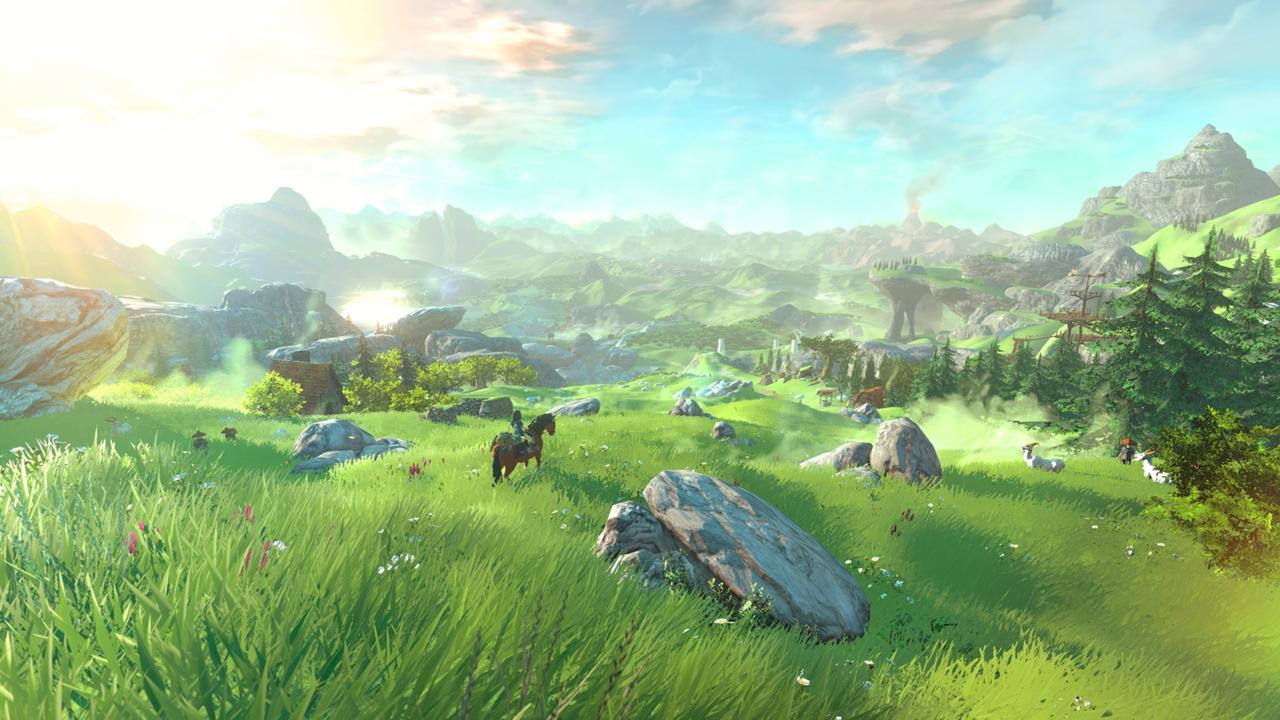
The Legend of Zelda Wii U looks as close to being an open world adventure as the Zelda series has ever come. Though previous games in the series usually featured large overworlds to explore, they weren’t exactly open worlds in the true sense of the term. Consider how Hyrule is physically segmented in The Legend of Zelda: Ocarina of Time. Hyrule Field acted as a vast hub area, with little spokes that branched off to Hyrule Castle, Kakariko Village, Kokiri Forest, Zora’s Domain, and Gerudo Valley. Each of these locations was separated from the field with a loading screen, and in most cases, you couldn’t travel directly from one to the other without first crossing through the Hyrule Field hub. This didn’t feel like a true open world as we think of them today.
The Legend of Zelda: A Link Between Worlds created what felt like a more open world through an unorthodox approach–for the series–to “gating” your progress. Gating is the act of keeping you out of certain areas of the game until you fulfil certain conditions. Again, consider Ocarina of Time: You couldn’t enter Dodongo’s Cavern without the Power Bracelets. You couldn’t get the Power Bracelets until you learned Saria’s Song. And you couldn’t even climb Death Mountain until you met Princess Zelda and received her letter. A Link Between Worlds did away with this linear progression by allowing you to rent the items you needed to progress in any order, and at any time.
I feel that something approaching this type of gating is necessary for exploration in an open world Zelda game to work. Even if I can travel from one end of Hyrule to the other without a load screen, what is the point if I have to do it in a specific order, anyway? This is a problem that The Legend of Zelda: The Wind Waker suffered from because of the way its vast Great Sea overworld was designed. After a few dungeons, you could sail anywhere, with no loading screens–but there wasn’t much reason to until you began the penultimate quest to collect the Triforce pieces. Because it didn’t make sense to gate players’ movement as they sailed across a vast sea, Nintendo instead placed Wind Waker’s gates on the island themselves: impassable obstacles that blocked entry to the island’s depths until certain items were acquired. For me, little else defeats the grand sense of adventure than travelling to a new, unknown location, and discovering that I’m not allowed in yet.
A Link Between Worlds gated its locations with items, too–but the difference in that game was that the order you acquired those items was up to you. My problem with that game’s item gating was how artificial it felt. Barriers outside dungeons had a picture of the item you needed printed on them–they didn’t feel like natural features of the terrain to overcome or circumvent. My hope is that The Legend of Zelda Wii U will find solutions to both of these problems. From what we’ve seen of the game, Hyrule is a physical landmass, not an ocean. This naturally gives Nintendo far more options for gating progress in ways that don’t feel as artificial as an item requirement.
From the gameplay in the video above, originally aired at the 2014 Game Awards, it seems like Nintendo is thinking along similar lines. If I see an interesting landmark in an open world game, I want to be able to travel to it. With Epona galloping through fields, Link para-sailing off cliffs, and setting waypoints far in the distance, The Legend of Zelda Wii U has exactly what I need to spark my initial sense of adventure. However, when I get to that landmark, I want to go inside if it’s a cave, or climb it if it’s a tower.
This harkens back to the feeling of the first Legend of Zelda game for the NES, and Shigeru Miyamoto’s original intentions for it–to capture his feeling of exploring caves in the countryside as a child. This worked for the first Zelda game, because its narrative was not as complex as those of its successors–find the pieces of the Triforce, defeat Ganon, and rescue Princess Zelda. I can accept that The Legend of Zelda Wii U may need to have a main quest line that needs to be followed in a certain order for a deeper and more complex story to work. But if that means I need to explore the open world in a similarly linear fashion, and complete dungeons in a certain order, I’ll be disappointed.
How would Nintendo solve that? How would they create a consistent story but still allow non-linear exploration? I have an idea, and it’s pretty simple: they could decouple the narrative progression from the item and dungeon progression. Look at The Legend of Zelda: Majora’s Mask for an example: the Zora storyline is a self-contained arc which unfolds primarily in the Great Bay. The Gorons’ snowy plight is resolved by completing tasks within Snowhead itself. These “story pockets” often required certain items to resolve, and you could bookmark them and return to them if you did discover where that item lay. However, access to those pockets was still restricted by the hub and spoke approach to its world, as in Ocarina of Time. Resolving these narrative events with items is far more satisfying, and feels far less artificial, than opening a new route to travel through, or overcoming a physical barrier to exploration. When exploring an open-world Hyrule, I shouldn’t run into those barriers. But if I want to progress the narrative? That’s when a hero like Link should run into problems to resolve.
Twitch exists for gaming content. Sure, you can find other stuff on there—music has been gaining more of a presence of late—but it’s still primarily a gaming service. People go on there to play or watch games. So it’s probably not a surprise to hear that trying to illegally stream a boxing match is considered a big no-no.
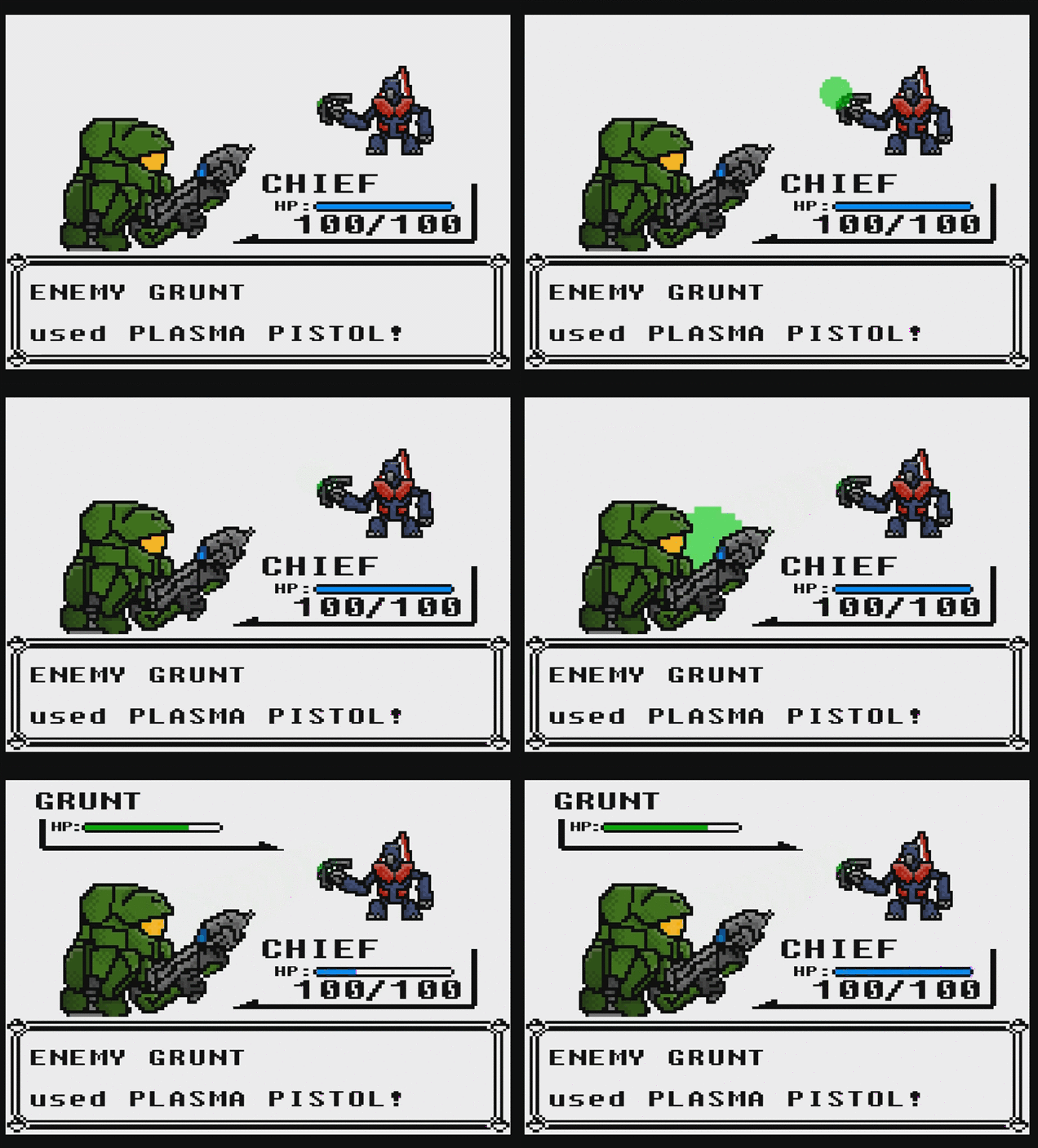
Pokémon’s turn-based battles and exploration have been delighting gamers for nearly two decades, but does the formula work when applied to Halo, Sonic the Hedgehog, Mario and more?
Attendees at a GamerGate meetup evacuated a bar in Washington, DC last night after police showed up in response to a threat, according to people who were there.
About one month ago, we featured a beautiful international trailer for an animated adaptation of Kahlil Gibran’s The Prophet, a big screen version of the collection of prose and poems known around the world. Now another gorgeous domestic trailer for the film featuring several different kinds of animation has arrived, all connected by an artist (Liam Neeson), his housekeeper (Salma Hayek), and her daughter (voiced by Quvenzhané Wallis). This looks like it’ll be a nice break from the blockbuster action extravaganzas late this summer, with wonderful animation to stimulate your eyes and your mind. There’s also supposed to be some great new music from Glen Hansard, Damien Rice and Yo-Yo Ma. Watch below! ›››
Briefly: As much as I hate reporting on the non-news that someone is no longer working on a project they were originally attached to work on, if it involves Star Wars, it’s still worth mentioning. StarWars.com and Variety are reporting that Lucasfilm has officially announced and confirmed that Josh Trank (director of Chronicle and this year’s Fantastic Four reboot) will no longer be directing a Star Wars spin-off movie. Not long after Gareth Edwards got the first offer for Star Wars: Rogue One, due in theaters late 2016, Trank landed the gig to direct the next spin-off solo Star Wars movie due in 2018. However, he’s been booted and Disney/Lucasfilm are going back to the drawing board – no replacements have been named yet. Interesting… ›››