With under two days to go, the Kickstarter crowdfunding campaign for a new Toejam and Earl game, appropriately titled Back in the Groove, has reached its $400,000 target. At press time, funding stands at $430,832. More than 7,600 people have contributed to the campaign so far. Funding closes March 27.
“Thanks to all of you, we have made it,” developer Humanature Studios said in a statement. “Prepare for the FUNK!!!!”
The game’s $425,000 stretch goal–an “old school skins” pack based on the early games–has now been unlocked. Should funding reach $450,000, Humanture will add the Hyperfunk Zone from Toejam and Earl 2.
Meanwhile, the game will come to consoles if even more money pours in: $600,000 (PlayStation 4), $700,000 (Xbox One), and $800,000 (Wii U). Currently, the game is confirmed for PC only.
In addition, Humanature teased that it has a “few more announcements” to make regarding Back in the Groove, though these are being saved for later.
Back in the Groove, built in the Unity engine, is being worked on by original designer Greg Johnson. The game is scheduled to launch in November 2015, though of course this could change. For lots more on the game, see the bullet-points below or check out GameSpot’s in-depth previous coverage.
A “Travel-back-in-time” theme that will span new characters and old ones.
More meta-game features, including the chance to collect hats with special abilities.
New “flying-presents” items.
New co-op features including the ability to shout and lure Earthlings away from a friend and the option to open a present that gives your buddy more life.
On Wednesday, the platform holder detailed the key new features included in the PS4’s 2.5 Yukimura update, including the long-awaited Suspend/Resume function and hard drive back-up options. The full list of additions can be found here.
Now, with the updates going live across Europe, the US, and Asia, PS Vita owners have begun listing the featured improvements that come with the handheld’s 3.5 firmware. Chief among them is enhanced accessibility options such as button remapping, enlarged text, inverted colours, contrast adjustment, and zoom functionality.
Though these features have been designed for customers with impaired vision and limited manual dexterity in mind, the button remapping could be particularly useful for players who use the PS Vita’s function as a spare PS4 controller, and for those who use Remote Play to stream PS4 games to their handheld. Due to the Vita’s two fewer shoulder buttons than the DualShock 4 controller, remapping could give players options to build a button scheme around this problem.
Digital Spy has noted other changes on the updated Vita, such as the removal of the Maps application, along with various tweaks across the platform.
Good news – the PS Vita has also been updated with accessibility features, including button remapping: pic.twitter.com/VAT4F8SerZ
Nintendo has published a new Xenoblade Chronicles 3D trailer ahead of its release in early April.
The trailer, which contains some spoilers, sets up the JRPG’s story of revenge, while showcasing its diverse cast of characters and landscapes.
Xenoblade Chronicles 3D is a handheld port of Monolith Soft’s breakthrough Wii game, and is only playable on the New Nintendo 3DS, not the older models, due to the demands it places on the system’s improved processor.
It also takes advantage of the New 3DS’s C-Stick, with the analogue nub used for camera control. However, Xenoblade Chronicles 3D’s file size is too large for the 4GB memory cards that are bundled with each New Nintendo 3DS, meaning that players who want to download the digital version from the eShop will need to purchase a larger memory card.
GameSpot’s Xenoblade Chronicles 3D review praised the epic scale of the handheld title. Games critic John Robertson wrote: “While it’s an inferior proposition to its initial Wii release in 2011, Xenoblade Chronicles 3D remains superior to the majority of RPGs. The move to 3DS has harmed the act of playing, but if you can look past the clunky signage and questionable 3D then you’ll find a game that remains an amazing high point for the genre, one that’ll absorb you right up to its glorious finale.”
The Xenoblade Chronicles 3D release date falls on April 2 in Europe and April 10 in the US.
More details on the Harley Quinn downloadable content pack for Rocksteady’s upcoming Batman: Arkham Knight have surfaced. As shown on the Batman: Arkham Knight Amazon page (via Cinemablend) the exclusive DLC will allow players who pre-order the game to assume the role of Harley Quinn and “wreak havoc inside the Blüdhaven Police Department.”
The DLC pack’s story will take place prior to the events of Arkham Knight, and tasks Quinn with the goal of infiltrating Blüdhaven in order to rescue Poison Ivy. The Harley Quinn DLC was first announced in July last year, and will include four challenge maps that will allow you to play as the jester and “utilize her unique weapons, gadgets, and abilities.”
The 28th also marks the when the game will make its debut on Sony’s PS4 and Vita. Broken Age will be available in its entirety on those platforms (no more Act 1/Act 2 division) for $25 and includes full cross-buy and cross-save functionality.
In addition, Broken Age will release on the same day in all regions on the other platforms it’s currently available for: PC, Mac, iOS, Linux, and select Android platforms…and Ouya. You know, in case you bought it on Ouya. Note that there may there may be a one-day delay on the EU PlayStation store since its not set to update until April 29.
If you’d like to watch what it took to put-together the crowd-funded game from start to release, Double Fine recently made its previously backer-only, behind-the-scenes documentary available to the public for free on YouTube. Episodes one through eight are available now with more updates on the way.
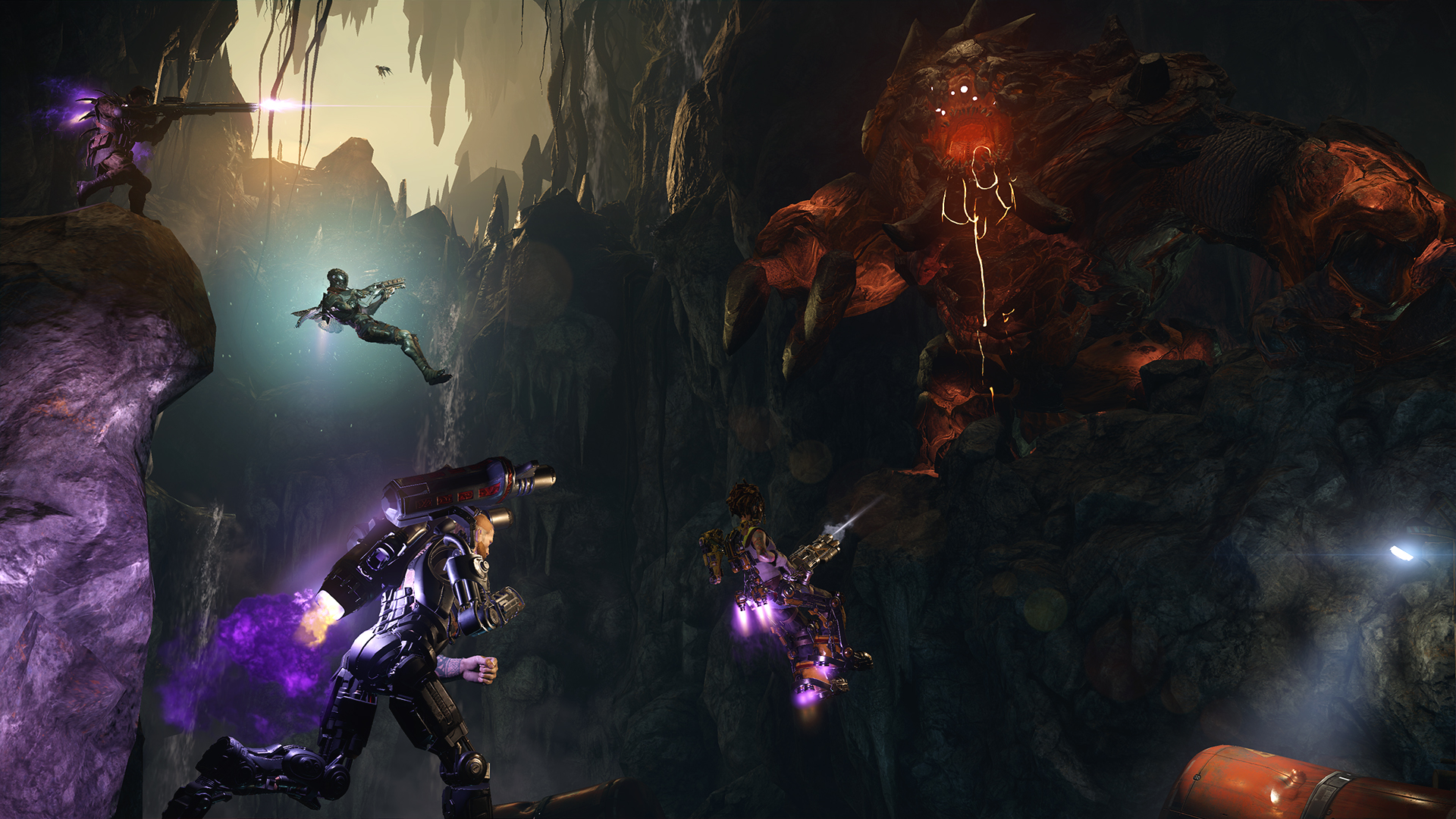
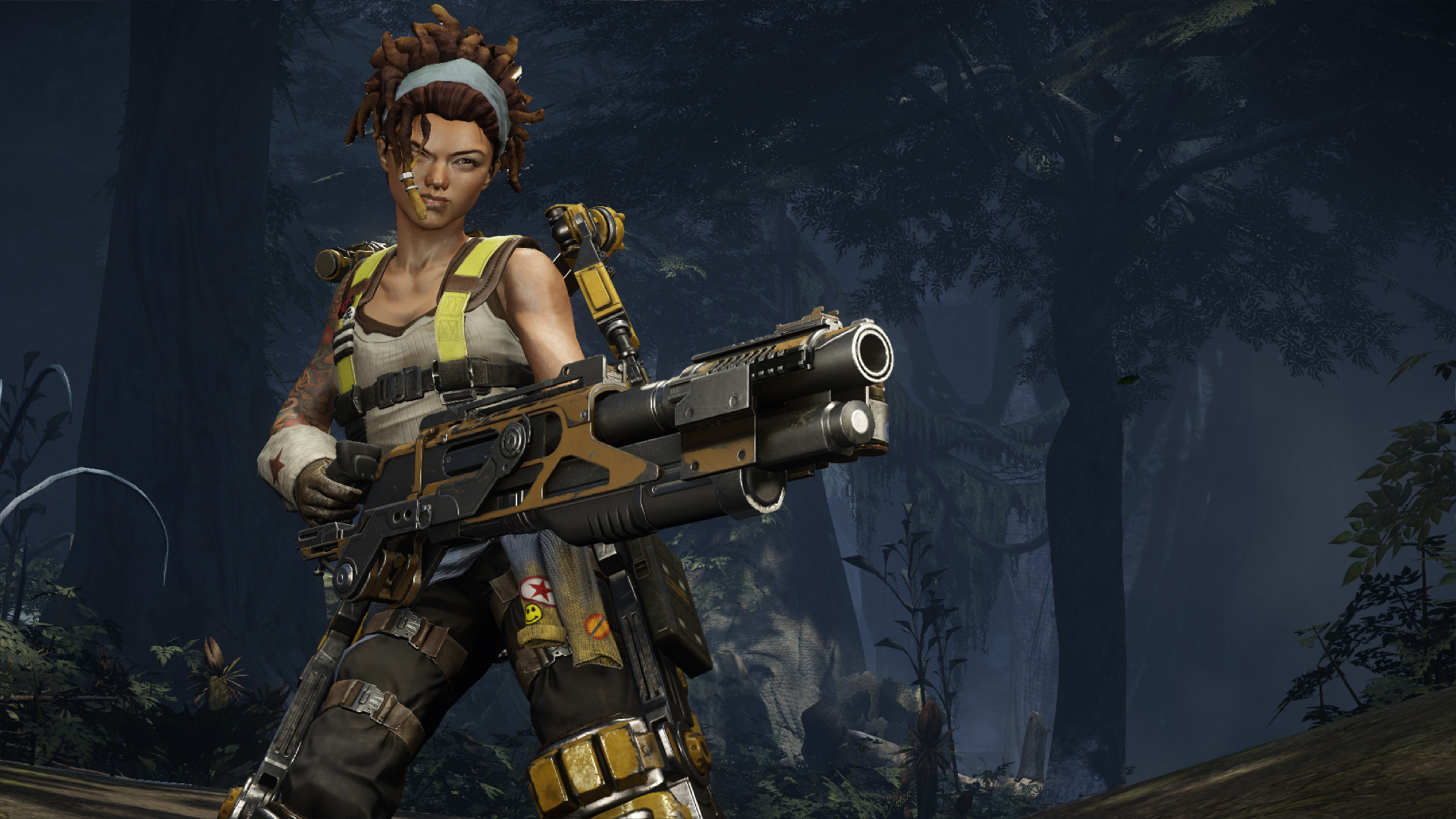
Turtle Rock Studios has announced a new, balance-oriented patch for monster-hunting game Evolve. Patch 1.3, live now on PC and coming next week for Xbox One and PlayStation 4, makes various changes to the game’s Monsters and Hunters with the overall aim of creating a better-balanced experience.
Specifically, Evolve 1.3 reduces the Wraith’s Warp speed by 25 percent, which should make her “less bursty,” Turtle Rock explains.
Another major change is that DPS for Hyde’s Toxic Grenade has been increased by 50 percent. The goal for this change was to make it a more effective area of denial weapon while simultaneously making it “less spammy.”
The full Evolve 1.3 Patch Notes, courtesy of Turtle Rock, are below.
All monsters can see recent damage on their health bar to help make burst damage visible
KRAKEN
Fixing some flight edge cases that were causing inconsistencies making him too powerful or too weak depending on the situation.
VORTEX
Cooldown increased by one second.
Reduced knockback magnitude.
TRANQ DARTS, STASIS GRENADES, AND HARPOONS
Pull Kraken down at a consistent rate regardless of whether he is in combat or out of combat. (they used to stack outside of combat)
Kraken’s flight speed is no longer slowed by Tranqs since they pull him to the ground where running speed is affected.
AFTERSHOCK
Fixed a bug that was causing Aftershock to not break harpoon traps or Arc Mines.
WRAITH
Making her movement speed less bursty which makes her easier to keep track of. Making Supernova less lethal while still allowing it to be just as powerful. Making Warp Blast a damage dealer instead of a traversal mechanic.
WARP
Speed reduced 25%
SUPERNOVA
Duration decreased by 50%
DECOY
Wraith becomes visible for half a second when shot while cloaked.
Increased cooldown time by 2 seconds.
WARP BLAST
Speed reduced by 40%
Range no longer levels up.
Radius levels up now.
Max travel distance set to 30 meters for all levels.
Damage increased by 10%
MARKOV
Arc Mine tuning
ARC MINE
Damage reduced by 20%
Fixed a bug where damage extended past the trigger radius.
Health reduced by 75%
Arm time increased by one second.
HYDE
Making Toxic Grenade a more effective area of denial weapon while also making it less spammy. Buffing Hyde’s overall damage output.
TOXIC GRENADE
DPS increased by 50%
Added proximity detonation (works vs airborne Kraken now)
Reduced fire rate
Reduced lifetime by 15%
MINIGUN
Accuracy increased by 25%
Damage increased by 20%
PARNELL
Multifire Rocket Launcher tuning
MULTIFIRE ROCKET LAUNCHER
Has better accuracy while jumping and jetpacking
MAGGIE
Harpoon Traps tuning
HARPOON TRAPS
Arm time increased by one second.
GRIFFIN
Sound Spike tuning
SOUND SPIKE
Now detect stealthing monsters within a 15 meter radius.
Radius increased from 50 to 60 meters.
BUCKET
Guided Missile Launcher tuning
GUIDED MISSILE LAUNCHER
Damage increased 11%
CABOT
Rail Cannon tuning
RAIL CANNON
Damage reduced by 30%
Reload time increased by 25%
VAL
Increasing her overall effectiveness.
MEDGUN
Heals 20% faster
Consumes ammo 2.5x faster.
TRANQ
Duration increased to 10 seconds (was already 10 seconds on Wraith, now other monsters match)
CAIRA
Acceleration Field tuning
ACCELERATION FIELD
Cooldown increased by 15 seconds.
What do you make of these changes? Let us know in the comments below! And as always, you can reach out directly to Turtle Rock via the developer’s Facebook and Twitter channels, as well as the Turtle Rock forums.
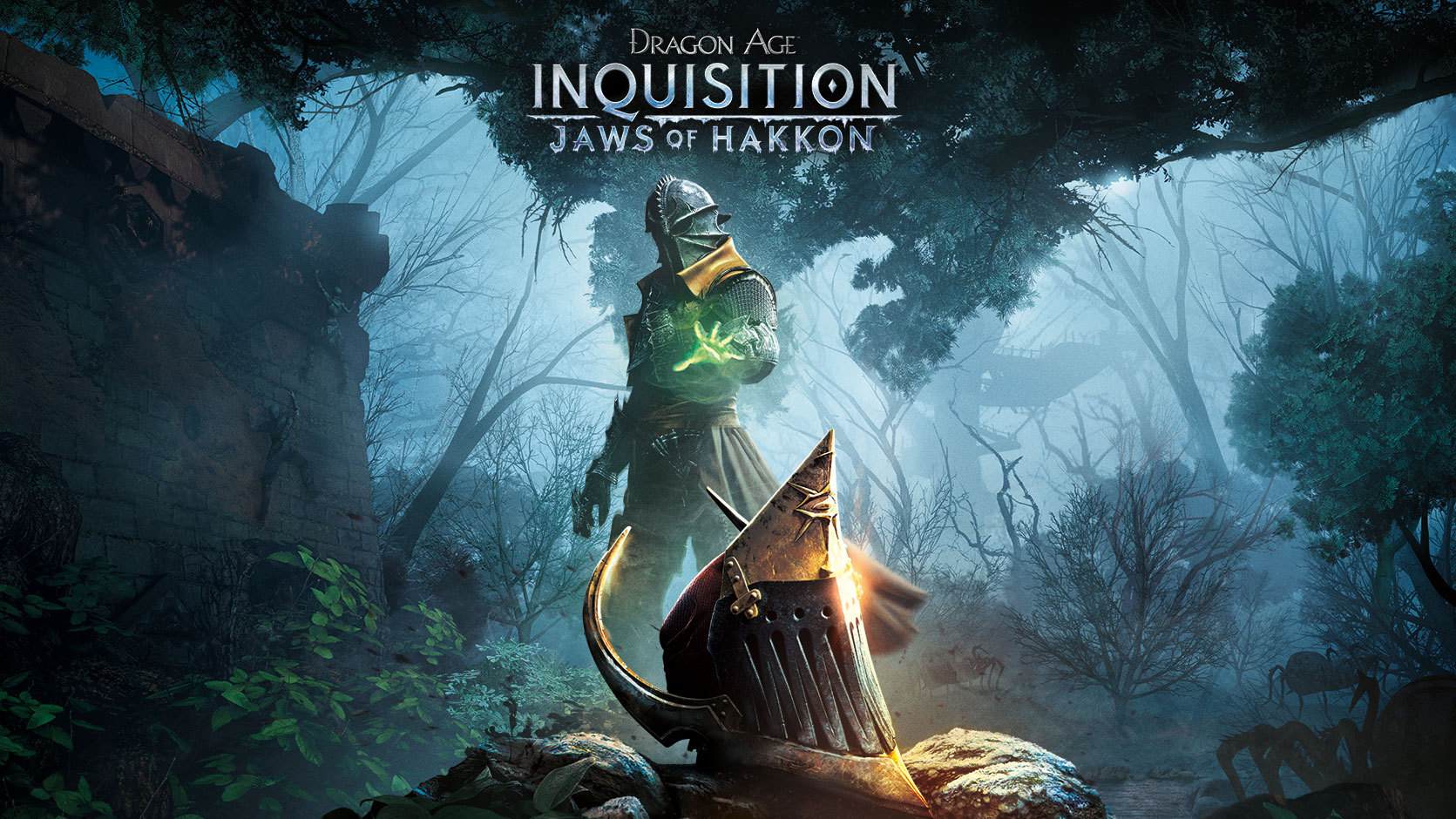
Jaws of Hakkon, the new DLC for BioWare’s Dragon Age: Inquisition, was released on Tuesday across Xbox One and PC–but not PlayStation 4. Now, BioWare has confirmed that the new expansion will eventually come to Sony’s new console, though executive producer Mark Darrah asks PlayStation fans to be patient.
We can not discuss when Jaws of Hakkon will be coming on other platforms
Jaws of Hakkon’s timed-exclusive release for Xbox One and PC is part of a special deal between Microsoft and BioWare owner Electronic Arts. Microsoft also has an agreement with Activision that ensures all Call of Duty DLC is released first on Xbox.
Darrah went on to suggest that the EA-Microsoft agreement contains a clause that forbids BioWare from discussing the length of the Dragon Age: Inquisition DLC exclusivity arrangement.
So far, the Jaws of Hakkon expansion has been confirmed only for Xbox One, PC, and PS4. BioWare has not announced any plans to bring the DLC to last-generation consoles such as Xbox 360 or PlayStation 3.
In Jaws of Hakkon, players will “discover the fate of the last Inquisitor and the powerful dragon he hunted.”
Set in an overgrown wilderness populated by the Avvar hunter people, the content will see players exploring an “ancient Tevinter fortress that hides a dangerous secret.”
Gamers can also expect to face off against new enemies, and amass new legendary armor and weapons. Jaws of Hakkon concludes with a battle against an “ancient god of war bent on destroying the world.”
The content is available now across Xbox One and PC for $15. For a closer look, check out the image gallery below.
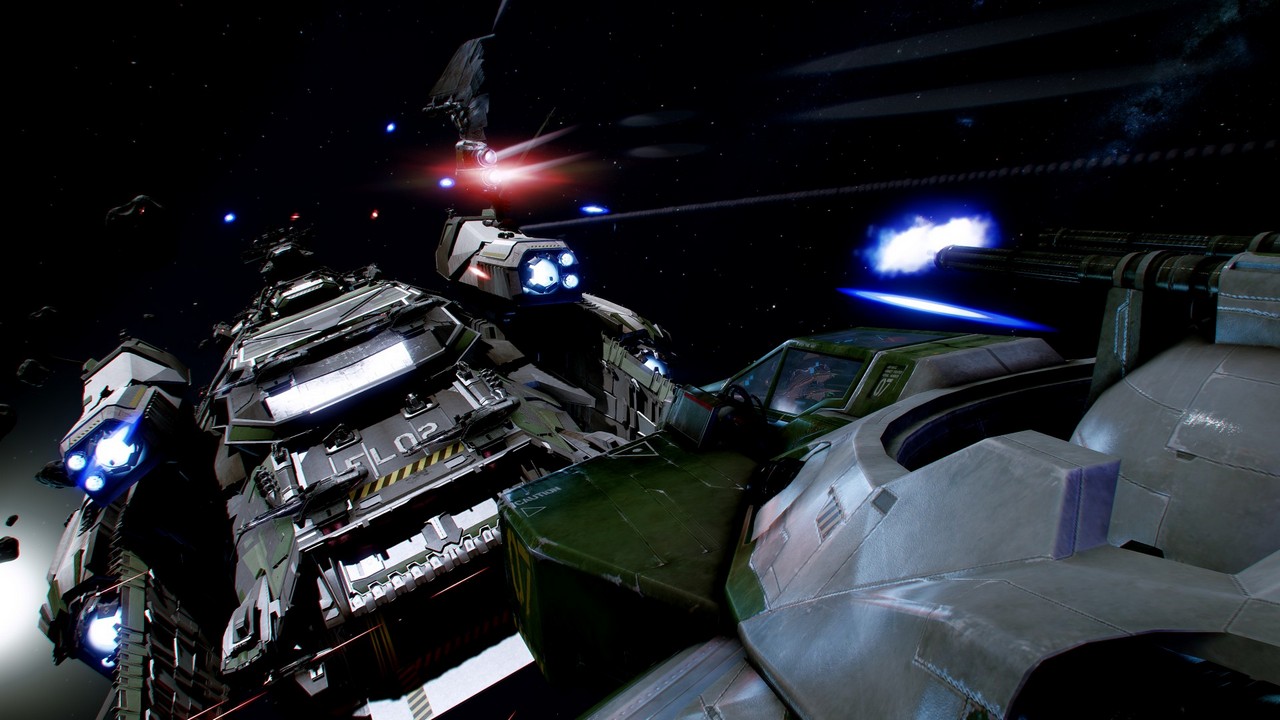
Star Citizen, the upcoming crowdfunded PC “first-person universe” game from Wing Commander creator Chris Roberts and his new studio Cloud Imperium Games, has surpassed yet another funding milestone.
Roberts previously predicted that Star Citizen would eventually reach $100 million. If funding continues at the pace of around $1 million every two weeks, the game will hit that mark before the end of the year. Just recently, Roberts said, “I don’t think we’re close to the addressable market” in terms of how much room the game still had to grow.
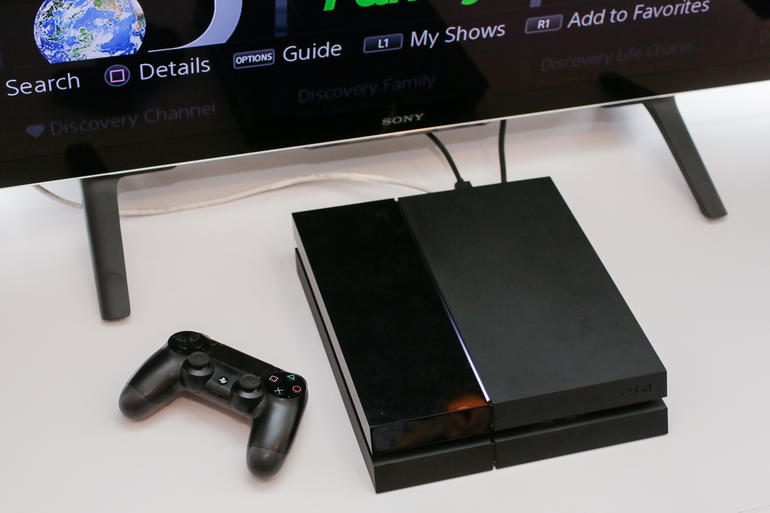
Sony will commence a global roll-out of the next PlayStation 4 firmware on Thursday, introducing a suite of new features and improvements.
System software 2.5, codenamed Yukimura, will supply PlayStation 4 consoles with the long-awaited Suspend/Resume feature, along with hard-drive back-up functionality, a Facebook friend finder, and verified accounts for industry figures.
Other tweaks include grouping together real name requests with friend requests, as well as a streamlined Party Chat set-up, and a comprehensive suite of accessibility tools for players with impaired vision and limited manual dexterity.
A list of all the new features, written by Sony and edited by GameSpot, can be found below:
Suspend/Resume
Suspend/Resume, which will be supported by nearly all PS4 titles, will allow PS4 owners to spend less time waiting for games to load and more time playing. Gamers will be able to suspend their game by putting their PS4 into Rest Mode, and then quickly resume the game where they left off by pressing the PlayStation button on the DualShock 4 wireless controller, which wakes their system.
Back-Up and Restore Hard Drives to External USB Drive
Yukimura allows PS4 owners to back-up and restore the hard disc to and from an external USB drive. Hard disc drive data includes settings, saved data, screenshots, video clips, games, patches, and download data.
Find and Connect with Friends
PS4 owners will now be able to search for Facebook Friends with their linked account. Friend requests and Real Name requests can be sent together in one step when adding a friend on PS4. The update will allow users to easily view what their friends are playing by adding a “Friends Who Play This” section on each game detail page, while also highlighting which friends are currently online and playing it. The process to create a Party has also been streamlined, with a reduction in the number of steps required. Additionally, the What’s New section will now feature a section where users can see what their friends are currently playing enabling them to join in the game if they own it or find out more on PlayStation Store.
Share Your Earned Trophies and Trophy List Enhancements
With “Yukimura,” a screenshot will automatically be captured when a Trophy is earned, making it easy for users to share gaming moments with their friends. The update will also make it easy for players to share Trophy information to Facebook, Twitter or via Message by pressing the Share button. Additionally, users will now be able to sort their Trophy list by “Earned Date,” “Not Earned,” and “Grade,” as well as the option to remove games from the Trophy list that have zero percent completion.
Improved and Expanded Accessibility Options
“Yukimura” introduces new options to customize the user experience with PS4, making it easier for gamers with impaired vision and limited manual dexterity to play. Customized button assignments for DualShock 4 and a zoom feature for displayed pictures and inverted colors will be available for all system functions, apps and games. Enlarged text will be available across the graphical user interface, including Message and Party, and enlarged text will also be enabled for use in the system’s browser. Bolder fonts and higher contrast UI will be available for all system applications but will not apply to games or third-party applications.
60fps Remote Play and Share Play
For games that support 60fps, users will be able to automatically play those games with 60fps for both Remote Play and Share Play on supported devices.
Automatic Installation for System Software Updates
Users will be able to automatically install future system software updates.
Sub-Account Upgrade
Users 18 years of age or older with sub-accounts will be able to upgrade to a master account directly on PS4, removing restrictions on chat and enabling users add funds to their Wallet, purchase content and more.
Verified Accounts
Verified accounts for game industry professionals, including developers, producers, designers, and community managers will appear with a badge.
Dailymotion
Players will have the option to upload video clips directly to Dailymotion via the Share button.
Meanwhile, Sony announced that complementary system updates for PlayStation Vita and the PlayStation App are also set to go live.
Sony said the PS Vita update version 3.50 and PlayStation App update version 2.50 will add new accessibility options, including enlarged text and increased contrast. This update will be required for PS Vita to support 60fps Remote Play.
AMD’s decision to work with VESA (the standards body for computer graphics) to develop a competitor to Nvidia’s G-Sync technology might well turn out to be the right one in the long run, but it hasn’t exactly been a speedy launch. Almost a whole year after the first G-Sync displays arrived–during which time Nvidia built up a following for its own variable refresh rate tech–it’s only now that the first Freesync monitors are hitting the market. Once again, AMD is left playing catch up, and with all that extra time to develop Freesync, I’d have hoped for a slightly smoother experience from the off. But it’s early days yet, and Freesync is very good for the most part. Plus, thanks to its reliance on VESA standards, there’s a far better chance of it making its way into all monitors, TVs, and notebooks.
What is Freesync?
For the uninitiated, Freesync is AMD’s solution to problems that some are more susceptible to than others: screen tearing, stuttering, and input lag. All are the result of how GPUs render frames from games or other media, and how monitors display them. Let’s take a regular, 1080p, 60Hz monitor for example. The 60Hz part means the monitor displays an image (in this a case, a single frame from a game) 60 times a second. In an ideal world, your GPU would feed the display exactly 60 frames every second, and you’d see a smooth image. Unfortunately, GPUs and games don’t work that way. The problem is that GPU performance is highly variable, depending on the type of scene it has to render. An obvious example would be a 2D platformer like Super Meat Boy versus a 3D shooter like Battlefield. But even within a game like Battlefield, there’s a large variance in frame rates, due to the different degrees of complexity in its indoor and outdoor scenes.
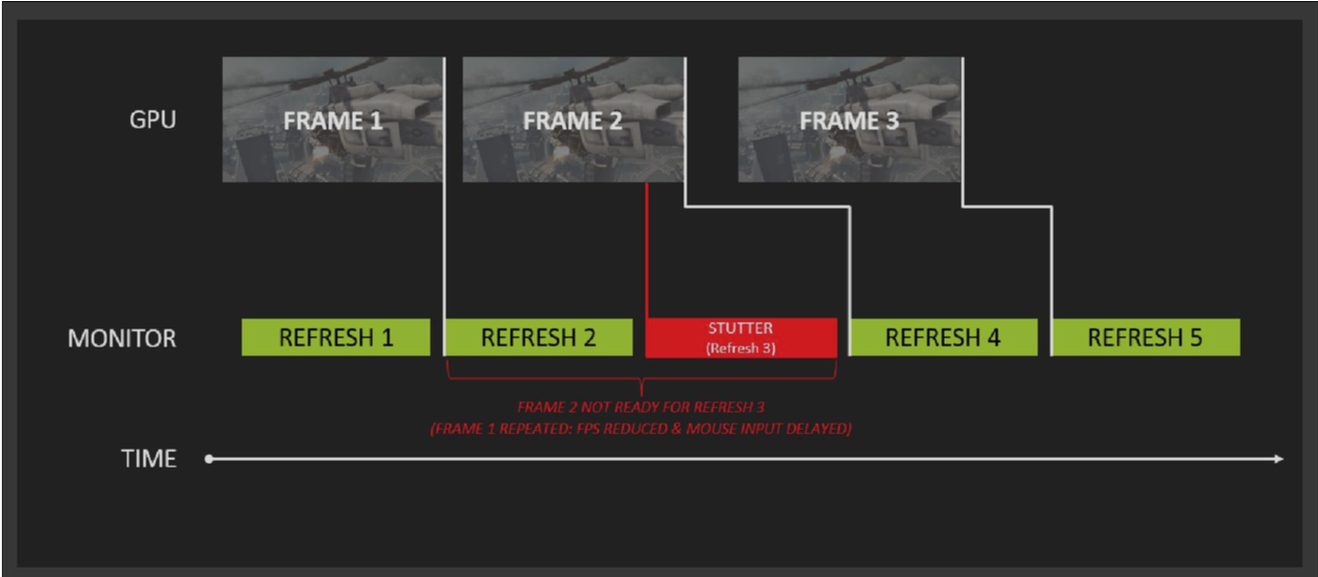
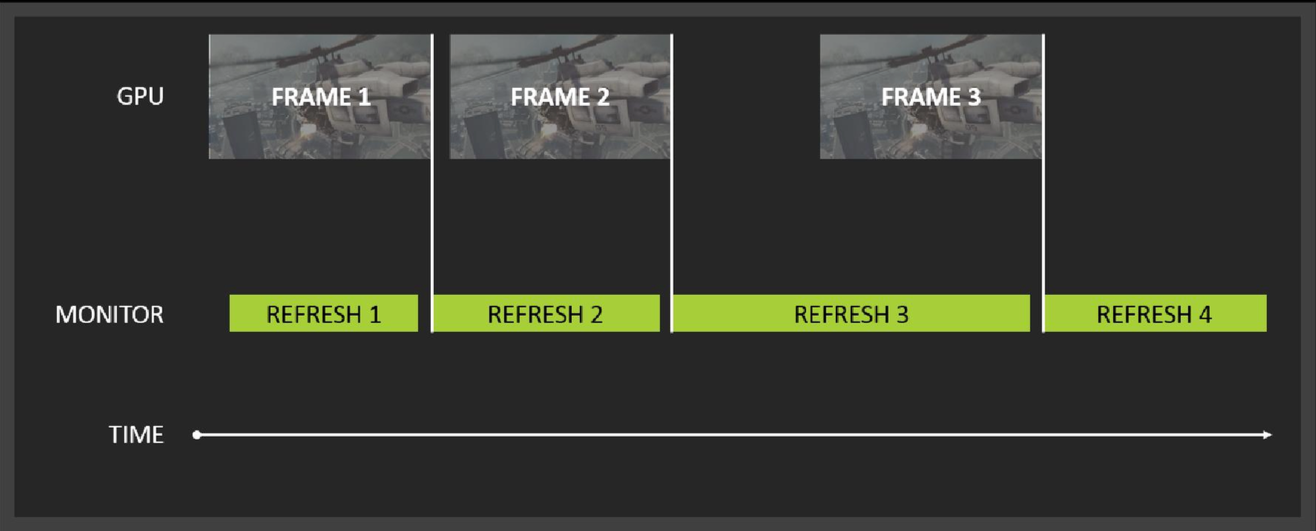
What happens to frames with V-Sync.What happens to frames with Freesync.
Most people playing modern games will see frame rates from around 30fps to 100fps, depending on hardware and what settings a game is running at. That large variance in frame rate presents a problem for a 60Hz monitor. If the frame rate from the GPU is higher than 60fps, a new frame is sent to the monitor at any point in its refresh cycle, even if it’s currently drawing a frame. This results in a situation where the monitor displays half of the old frame it was in the process of displaying, and half of the new frame that the GPU is sending it. This sharp line across the screen where the two frames don’t line up is screen tearing, and it can be very distracting. One solution to the problem is to use a display that can handle a higher frame rate. Many gaming orientated displays work up to 144Hz, but even this more frequent screen refreshing only makes the problem less noticeable, it doesn’t remove it entirely.
The other common solution to the problem is V-Sync. When enabled, V-Sync forces a monitor to display images on the screen at fixed intervals, most commonly at 60Hz. While this gets rid of the screen tearing, it can introduce stuttering and input lag. Since the GPU now has to wait for the monitor to be ready for the next frame, the image you see on screen will almost never be the most up to date one that reflects your controller input. If the frame rate of the game drops lower than the refresh rate of the monitor, it has to re-draw the same frame again to make up the difference, which causes stuttering. What Freesync (and Nvidia’s competitor G-Sync) does is directly control a monitor’s refresh rate via the GPU. This way, the monitor only displays a frame when the GPU is ready, rather than at a fixed interval. The result, in theory, is a super-smooth, lag-free image, regardless of frame rate.
The Tech
Freesync is actually just AMD’s branding for AdaptiveSync, a portion of the DisplayPort standard that enables a variable refresh rate by expanding the vBlank timings of a display; AMD has simply expanded on the standard with drivers and GPUs that support it. Notably, AdaptiveSync is an optional portion of DisplayPort 1.2a, so while it’s technically a standard, monitor makers don’t necessarily have to implement it–and that doesn’t always gel with AMD’s message that Freesync is a “No licensing. No proprietary hardware. No incremental hardware costs” solution. While the underlying idea behind AdaptiveSync is technically free, because it’s optional, there’s still a cost associated with implementing it; display scaler and control chip makers still have to work to support the new standard. That said, now that the tech has been developed, the cost to monitor makers is likely to fall over time.
Nvidia’s solution was to build the scaler hardware and sell it directly to monitor makers, with the required G-Sync module adding around $60 to the cost. Naturally, AMD claims that without the cost of the scaler, Freesync monitors are cheaper than the G-Sync equivalent. That’s certainly the case when the prices are taken at face value, but as shown in the monitor roundup below, direct apples-to-apples comparisons aren’t entirely possible. You also have to factor in the potential cost of a new GPU to use Freesync, thanks to the limited selection that the technology works with. While G-Sync works with pretty much every Nvidia GPU dating back to the 600-series, only AMD’s more recent R9 290X, R9 290, R9 285, R7 260X and R7 260 GPUs work with Freesync’s variable refresh rates in games.
The biggest difference between the two technologies is how they handle frame rates that are above or below the monitor’s refresh rate window. For example, the catchily titled LG 34UM67 ultrawide monitor–one of the first Freesync monitors on the market–sports a supported dynamic refresh range of 48-75Hz. If your GPU puts out a frame rate between those two values, you get all the sweet variable refresh rate smoothness. If your GPU’s performance falls outside of that range, you have two options: play with V-Sync enabled and put up with the associated stutter, judder, and input lag, or play with V-Sync off and deal with screen tearing. With G-Sync, there’s no option, with games defaulting to V-Sync when performance falls outside of a monitor’s range. While that does result in a generally smoother experience, having the choice between the two is a definite win for Freesync, particularly for those sensitive to input lag.
What’s particularly interesting is what happens when the frame rate drops below the monitor’s refresh rate range. The folks over at PC Perspective have done a great analysis of this for both G-Sync and Freesync, and it’s well worth checking out the article for a very detailed look at the two technologies. But the takeaway is that in a G-Sync monitor, if the frame rate drops below the monitor’s range, say to 25fps, the display actually refreshes at 50Hz. In this case the G-Sync module inserts an extra frame in order to avoid the flickering that’s associated with lower frame rates. PC Perspective even looked at frame rates as low as 14fps, where the module quadrupled the frame rate up to 56Hz. This is a clever bit of visual trickery, but it does require a local frame buffer in the G-Sync module in order to function.
Freesync monitors don’t feature such trickery. In the case of the LG 34UM67, its lowest supported refresh rate is 48Hz. If you enable V-Sync, the game treats the monitor like a fixed 48 Hz display, locking the frame rate to 48fps. Others, like Acer’s XG270HU, drop to a lower 40Hz refresh rate. At these lower refresh rates, with V-Sync on, things like judder are much more pronounced. It’s certainly something I noticed when playing on the Freesync monitors, particularly when viewed side-by-side against the Asus ROG G-Sync monitor.
Monitor Mixup
Speaking of monitors, AMD claims that one of Freesync’s biggest selling points is that compatible monitors are cheaper than the G-Sync equivalent. The trouble is, direct comparisons at this point are difficult, due to the vast differences in specs. Certainly, the entry point for a 144Hz 1440p monitor is lower for Freesync than G-Sync, and there are more options available in terms of aspect ratios and panel types. There’s also the fact that, unlike G-Sync, Freesync monitors have more than just a single DisplayPort input. If you’re spending upwards of $400 on a monitor, being able to use it with HDMI devices like consoles and TV boxes, or even with an older DVI-equipped PC is a real boon.
LG 29UM67/34UM67
Acer XG270HU
BenQ XL2730Z
Asus ROG Swift PG278Q
AOC G2460PG
Acer Predator 4K2K XB280HK
Variable Refresh Tech
Freesync
Freesync
Freesync
G-Sync
G-Sync
G-Sync
Size
29″/34″
27″
27″
27″
24″
28″
Resolution
2560×1080 (21:9)
2560×1440
2560×1440
2560×1440
1920×1080
3840×2160
Refresh Rate
48-75Hz
40-144Hz
40-144Hz
30-144Hz
144Hz
60Hz
Response Time
5ms
1ms
1ms
1ms
1ms
1ms
Panel Type
IPS
TN
TN
TN
TN
TN
Inputs
DisplayPort, HDMI, DVI
DisplayPort, HDMI, DVI
DisplayPort, HDMI, DVI, USB
DisplayPort, USB
DisplayPort, USB
DisplayPort, USB
Price
$449/$649
$499
$599
$780
$399
$759
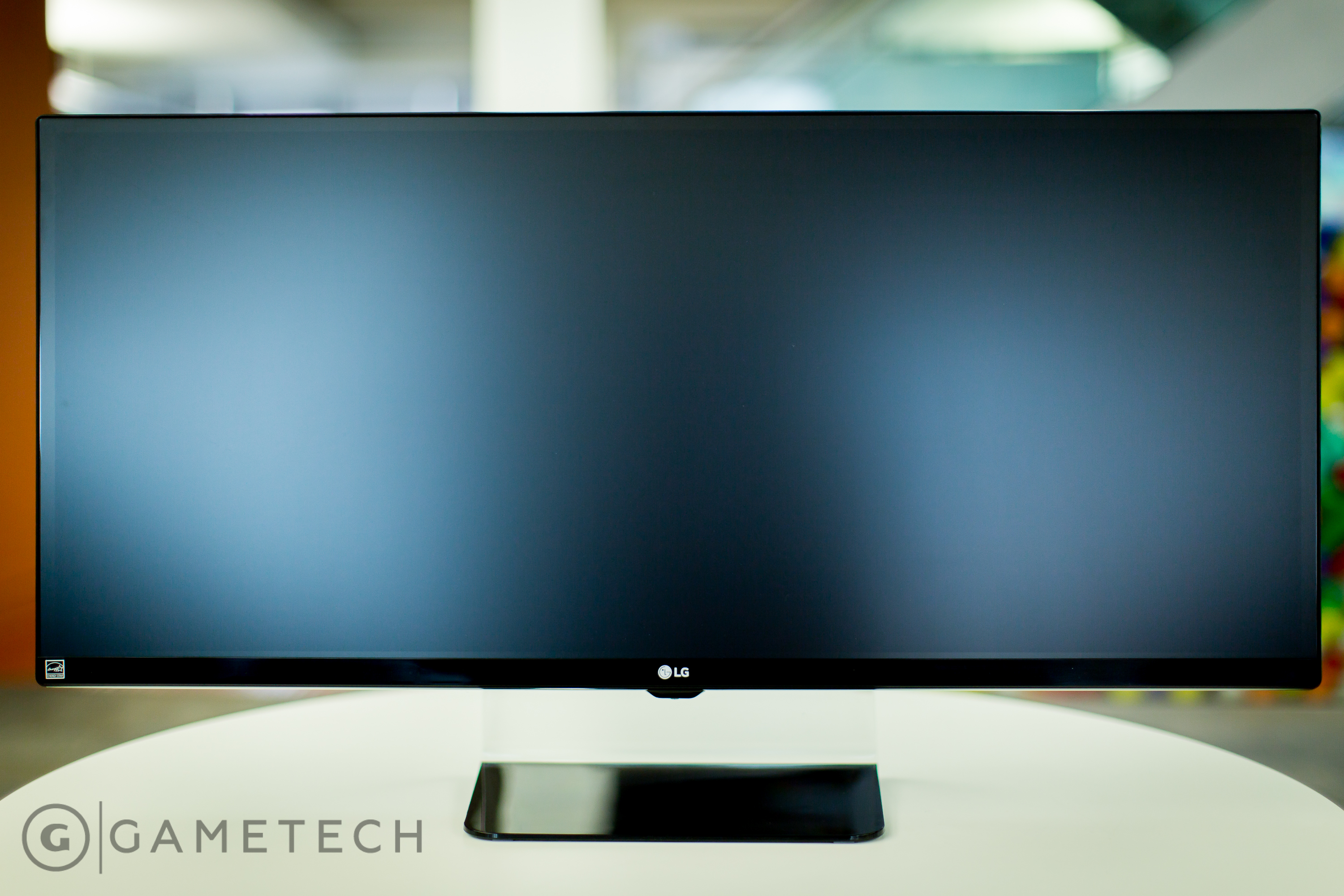
LG’s 21:9 LG 34UM67 is a fantastic display.
The initial launch batch of Freesync monitors consists of the Acer XG270HU, a 1440p 27″ 144Hz TN panel; the BenQ XL2730, another 1440p 27″ 144Hz TN panel; and the LG 29UM67 and 34UM67, a pair of 21:9 2560×1080 pixel ultrawide IPS monitors that sport a 75Hz refresh rate. 4K 60Hz panels from Samsung, as well as a 144Hz 1080p panel from Viewsonic are on the way, but aren’t available at launch. The Acer XG270HU is set to retail for $499, which compares extremely favorably to the similarly equipped Asus ROG Swift PG278Q G-Sync monitor that retails for around $780. To beat the Acer’s price for G-Sync, you have to step down to AOC’s 1080p display, which goes for around $400.
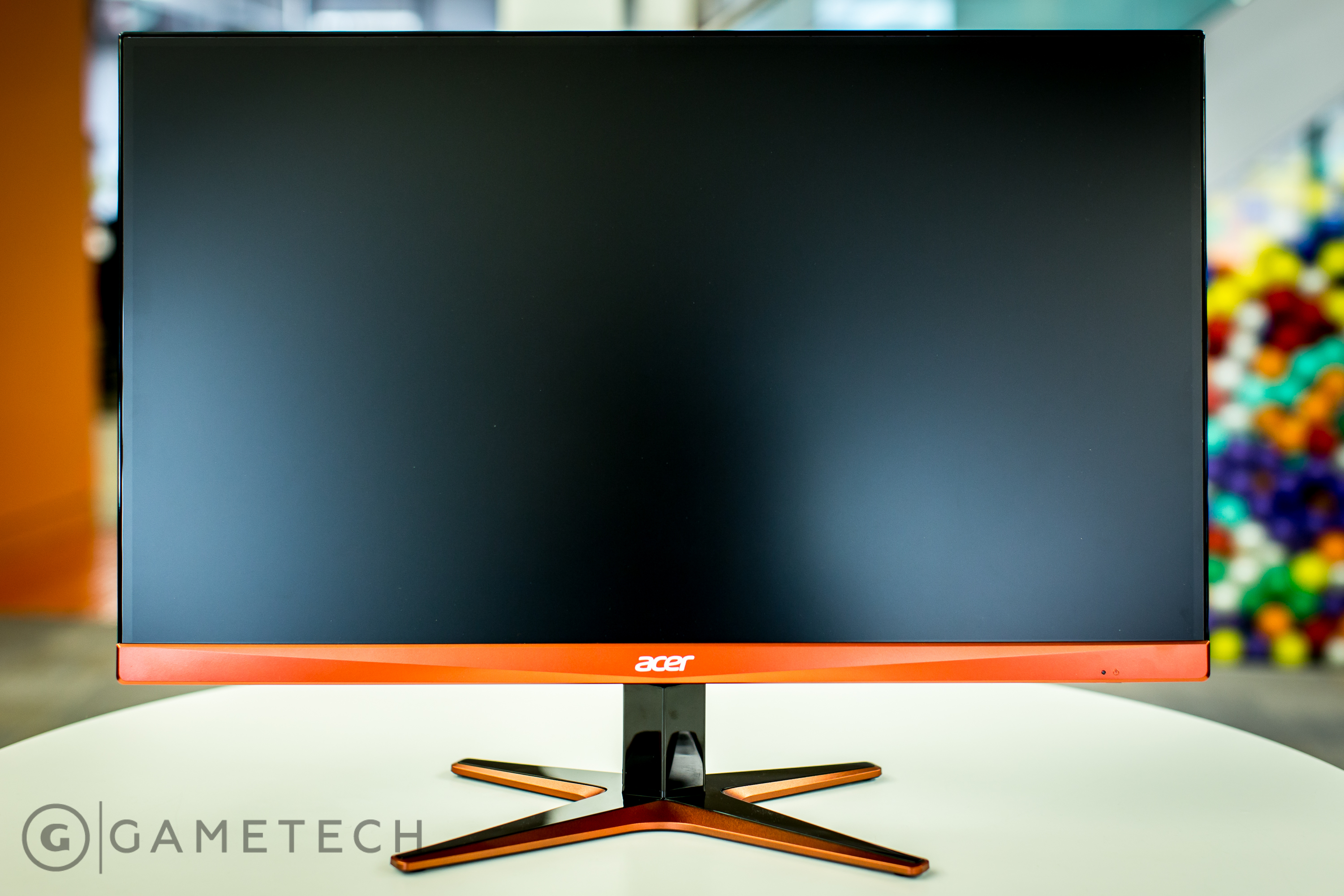
However, there are some clear tradeoffs for the price. For starters, the Acer feels considerably cheaper than the Asus, with a non-height-adjustable stand, no USB hub, and a flimsy, glossy black plastic finish. And, while it’s definitely a matter of taste, I’m not a fan of the less than subtle orange highlights that scream “gaming monitor.” Why hardware manufacturers continue to slather gaming hardware in garish colours is beyond me. There’s also the matter of the panel’s 40-144Hz variable refresh rate area, which doesn’t go quite as low as the ROG Swift’s 30Hz. It’s worth noting that while AMD is pitching 9-240Hz refresh rates for Freesync, they’re only the possible extremes; it’s up to individual monitor makers to implement them.
However, the Acer’s TN panel itself is very good, and certainly matches the quality of the ROG Swift. Some corners have been cut to make the price, but in terms of actually using it as a gaming monitor, you’d be hard pressed to tell the difference between the two, particularly as both sport a fast 1ms response time. Colours and viewing angles are decent too, although if you go off axis too much and you’ll definitely notice some TN colour-shift.
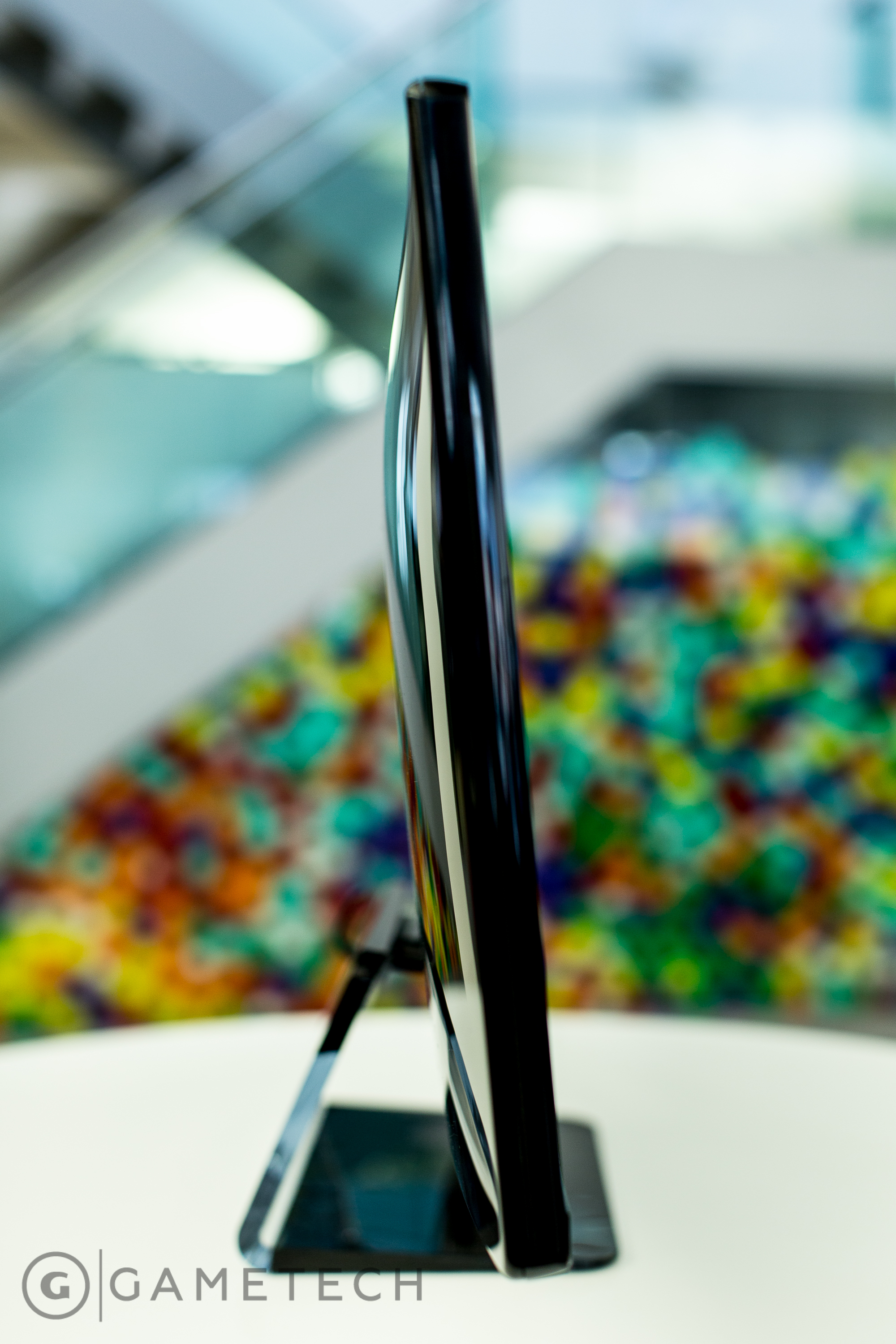
There are no such problems with the LG 29UM67 and 34UM67, which sport some seriously nice 21:9 IPS panels. The resolution isn’t high at just 2560×1080, nor is the 5ms response time and 48-75Hz refresh rate as competitive, but the colours are far richer, and the viewing angles much wider. They also have a much more premium feel and finish, even if you’re limited to just two steps for height adjustment. That 75Hz refresh rate is also one of the highest out there for an IPS panel, at least until Acer finally launches its 144Hz 1440p IPS monitor. At $649 and $499, they’re also competitively priced, coming in cheaper than their non-Freesync equivalents.
There aren’t currently any 21:9 G-Sync monitors to compare the LGs to, with Acer’s 34″ 144Hz G-SYNC ultrawide not arriving until later this year. It will, however, sport a whopping 3440×1440 resolution. Still, this early on in Freesync’s life, that you can choose a 21:9 monitor is impressive. Early pricing is promising too, and I suspect once the 1080p monitors hit the market, they’re going to come in under the $400 starting price for G-Sync.
Is Freesync Worth it?
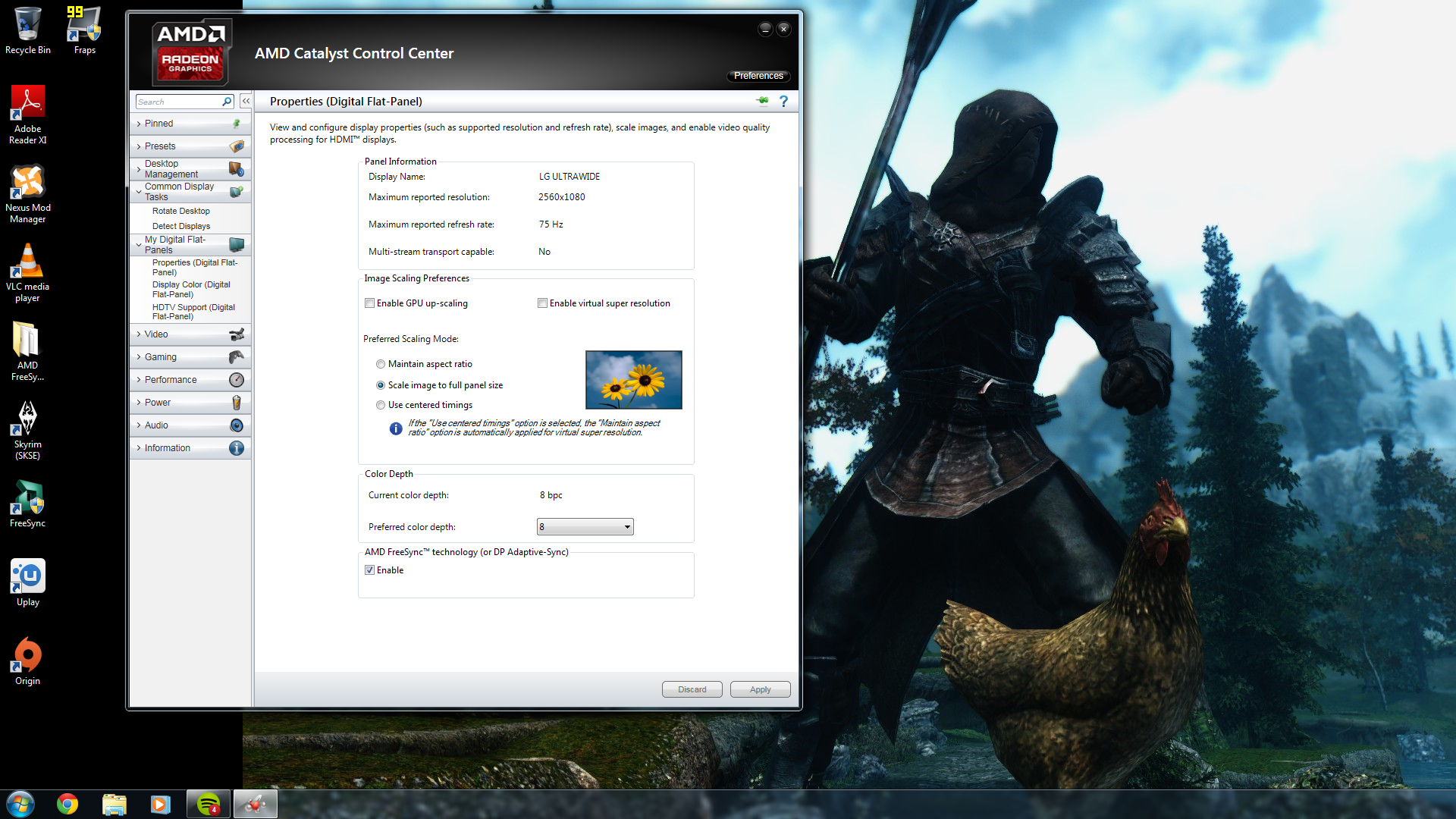
Setting up Freesync just requires a quick trip into CCC.
The question is, if you already have a nice monitor, is it worth upgrading to a Freesync one? For the most part, I’d say it is. Setup is as easy as ticking a box in Catalyst Control Center, and there’s a substantial improvement in the look and feel of games without any noticeable performance impact. Taking the Acer XG270HU as an example, if you don’t dip below its lowest 40Hz refresh rate, games look absolutely fantastic. It’s surprising just how much of a difference removing V-Sync judder and screen tearing makes, and without having to worry about maintaining a 60fps minimum, you can crank the settings much higher than you otherwise would.
That said, thanks to how Freesync works, at lower frame rates there’s a more noticeable judder when the panel is working at 40Hz, amplifying the effects of V-Sync on or off. There’s also some ghosting on the Freesync monitors I tested (you can see a little of it in the video above), that doesn’t affect a G-Sync screen. Indeed, Nvidia’s on the offensive at the moment mentioning that very fact. Still, it’s not a total deal breaker by any means, and for the most part, games will be running far above that threshold anyway.
The smaller variable refresh rate window of the ultrawide LG panels makes them a less compelling offering for pro-gamers or those really wanting the lowest input lag and highest frame rates without tearing. In terms of the gaming experience, however, it’s absolutely the monitor I’d go for. LG’s IPS panel produces substantially better colours than the Acer, and the wide viewing angles make it great choice for pulling double-duty as movie watching screen. Most impressive, and surprising, was just how much of a difference the 21:9 aspect ratio made. The ultrawide format works brilliantly for games, with the screen giving you a much wider field of view, and a cinematic feel that you just don’t get with a 16:9 monitor. The only real downside to the LG for me is the resolution. As soon as there’s a 3440×1440 version (seriously, make it happen LG), I’m all in with a 21:9 Freesync monitor.
However, there are some fringe cases where, like G-Sync, Freesync is less compelling. For instance, if you’re already regularly pushing mega high frame rates to a 144Hz monitor, the benefits are less noticeable. The higher refresh rates tend to gloss over many screen tearing issues, even if they don’t get rid of them completely. Variable frame rates also won’t solve work miracles if you’re having trouble running games at above 30fps, and in those cases, a GPU upgrade should be at the top of your list.
Freesync or G-Sync?
As for whether you should go Freesync or G-Sync, the answer is less clear. Obviously, if you’re already rocking a GPU from a particular brand, the choice is obvious. But if you’re planning a GPU upgrade and wondering which is the better option, I’d say there’s little to call between the two technologies. Both work extremely well at removing the problems associated with V-Sync on or off, and both are easy to set up. While I did encounter an issue where Freesync wouldn’t work with Bioshock Infinite, it did work with every other game I tried it with. Hopefully a driver update will fix the issue, and enable the promised compatibility with Crossfire setups and dual-GPU cards like the R9 295X2. There’s also the issue of what happens to games that work below a monitor’s minimum refresh rate, and there Nvidia’s solution is the superior one.
Orange styling and flimsy stand aside, Acer’s Freesync monitor is a great performer and is substantially cheaper than the G-Sync equivalent.
In the long run, though, it’s tough to see where Nvidia is going to go with G-Sync. Yes, it has the superior technology and performance, but propriety technologies, however well they work, generally tend to lose out to open standards. Plus, as AdaptiveSync matures and AMD’s drivers improve, Freesync’s little niggles like minimum refresh rates and ghosting could be solved. With monitor makers not having to pay a premium for propriety modules, and with laptops particularly likely to have the technology baked in for power-saving reasons (lowering the refresh rate for static images), Freesync is the more attractive proposition, even if Nvidia has a wider slice of the GPU market. More monitor features, and a lower cost of entry make it even better.
Perhaps Nvidia will come up with something to make G-Sync more attractive in the face of increased competition–the company has certainly done so in the past. Or maybe it’ll eventually cave and embrace the AdaptiveSync standard. Regardless of the future though, if you’re currently rocking an AMD GPU and want to jump in on variable refresh rate technology, there’s no longer any need to consider switching to Nvidia. Freesync is an great bit of tech that costs less, makes your games buttery smooth, and may prove to be the more sensible investment in the long run.